Shotkit / Guide
How to storyboard a video with Claude Code.
01 / Set up
Put the skills where Claude Code can see them.
Claude Code loads skills from ~/.claude/skills/ when a session starts. Shotkit is five of them, and each one does one job: brand-lock-extractor writes a brand lock, storyboard-architect plans the shots, visual-prompt-forge writes prompts, visual-asset-critic checks frames and storyboard-html-preview builds a page you can share. They pass work to each other through files, not calls.
git clone https://github.com/whystrohm/shotkit.git
cd shotkit && ./install.sh
Restart Claude Code after the install. The install page shows what the script prints and how to check it.
02 / The brief
Write the brief in one or two sentences.
Give the length, the aspect, the feel, and the brand lock to use. You do not name a skill. Claude Code matches the request to storyboard-architect. This is the brief typed on the example run:
15-second launch film for WhyStrohm. Dark ground, one accent. 16:9. Use the whystrohm brand pack.
It can stay that short because the brand lock carries the rest. The palette, the type and the never list apply to every shot, so the brief only has to say what this film is.
03 / The brand lock
Lock the brand before any shot is planned.
A brand lock is one Markdown file with sections for identity, palette, type, mood, a never list, aspect ratios, grade, motion and voice. At the start of a run Shotkit copies it into brand-lock.snapshot.md and records its SHA-256 in run.json, so later you can prove which version of the brand a frame was judged against. This run used ~/.claude/shotkit-brand-packs/whystrohm.md, with 7 palette roles and 13 lines on the never list. Three of them:
- never a light or cream ground; the ground is #07080A
- never use Signal #E4552A as a fill or a flood; one word per step, plus live states
- never more than one accent color
No brand lock yet? Copy ~/.claude/shotkit-brand-packs/_template.md and fill it in, or ask Claude Code to extract one from your site; that request goes to brand-lock-extractor.
04 / The shots
Let the plan come back as files.
storyboard-architect writes storyboard.md for people and shots.json for tools, plus text-overlays.json for the on-screen words. Text is never baked into an image; it is a separate layer with its own timing. On this run it planned 5 shots across 15 seconds on the hero-trilogy beat framework:
| Shot | Time (s) | Beat | Framing | Motion |
|---|---|---|---|---|
| shot_01 | 0 to 3.5 | world | EWS | static |
| shot_02 | 3.5 to 6.5 | hero | MS | push |
| shot_03 | 6.5 to 9.5 | hero | WS | push |
| shot_04 | 9.5 to 12 | transformation | EWS | push |
| shot_05 | 12 to 15 | transformation-cta | EWS | static |
Each shot in storyboard.md carries its subject, its text and a rationale. The first one:
### shot_01 · 0.0–3.5s · EWS · static

**Beat:** world

**Subject:** A dark rocky coastline at night seen from a high headland, curving away into the right two thirds of the frame. The far half of the coast, cliffs and surf line, resolves into a dense halftone of tiny digits while the near half stays photograph. Coast and code share one continuous shoreline. Left third is open black sky and water.

**On-screen text:** `text_01`: "We look before we build."

**VO:** none

**Rationale:** The film opens on looking, so the first frame is the widest view in the film, and the coast turning into code states the method before any claim; the empty left third holds text_01.
05 / The prompts
Ask for a prompt file per generator.
Ask Claude Code for prompts and name the generator, for example “Generate Flux prompts for ./output/shots.json”. visual-prompt-forge writes one file per generator under prompts/round-1/. It has adapters for ten generators, and the same shot plan feeds all of them. This run asked for Flux, GPT Image, Hailuo, Ideogram, Kling, Midjourney, Nano Banana, Seedance, Seedream, Veo. Here is shot_01 as written:
# shot_01, world, 0.0-3.5s, EWS high static
# params: aspect_ratio=16:9, output_format=png, prompt_upsampling=false, seed=707080
Extreme wide high-angle view from a headland down a rocky coastline curving right; the far cliffs and surf line are built from tiny digits, the near rocks stay photograph. Near-black night scene, empty black left third, part of the scene made of tiny uniform monospaced 0 and 1 digits packed like a halftone, density as shading, thinning out at its edge. One hard cool key light, deep blacks held above crush. Leica Monochrom, 35mm, f/8, deep focus. Black and white monochrome, near-black ground #07080A, bone-white highlights #F6F5F2, fine silver-halide grain. Calm, restrained, documentary. Photorealistic, natural skin texture, no AI artifacts. No large digits, no floating or 3D numbers, no color, no green, no blue glow, no neon, no falling-rain streaks, no glitch, no HUD, no hologram, no circuit boards, no hooded figure, no face, no screens, no logos, no signs, no words or letters, no watermark.
The environment, lighting and grade lines repeat word for word in every shot. That is on purpose: the forge carries those series anchors verbatim so the shots look like one film, and validate_prompts.py fails a file that paraphrases them.
06 / The frames
Make the frames in your own generator.
Shotkit does not make images or video. Paste each prompt into the generator you use, set the values on the # params: line, and save the result as frames/round-1/shot_NN.png. The round and the shot id in the path are how the critic and the validators find it. copy-prompt.py copies one shot’s prompt to the clipboard, so you do not have to select it by hand.
07 / The check
Have the critic check every frame.
Ask Claude Code to critique the frames against shots.json. visual-asset-critic reads each frame, the shot spec and the brand-lock snapshot, and writes a verdict: ACCEPT, REVISE or REJECT. Every issue names its layer, how serious it is, and a fix. On REVISE, ask for revised prompts; the forge rewrites only the shots that failed, into the next round’s folder. Here is shot_02 on this run, round by round:
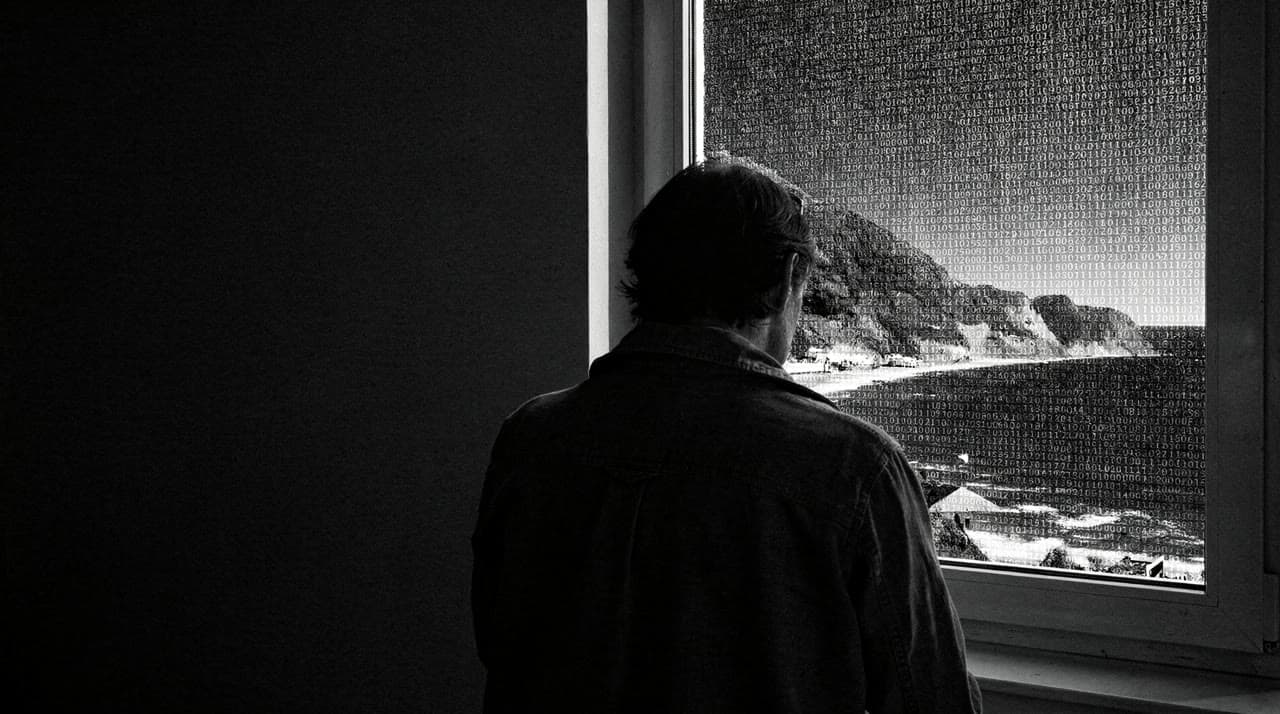
Round 1REVISE
Series Lock, major: The view beyond the glass is a bright grey daytime sky and a sunlit coast. The environment anchor asks for a near-black night scene, and the window reads as the brightest thing in the frame.
Fix: State the time and brightness in the subject: 'the dark night coast beyond the glass, black sky, lit only by the key light'. Keep every anchor verbatim.
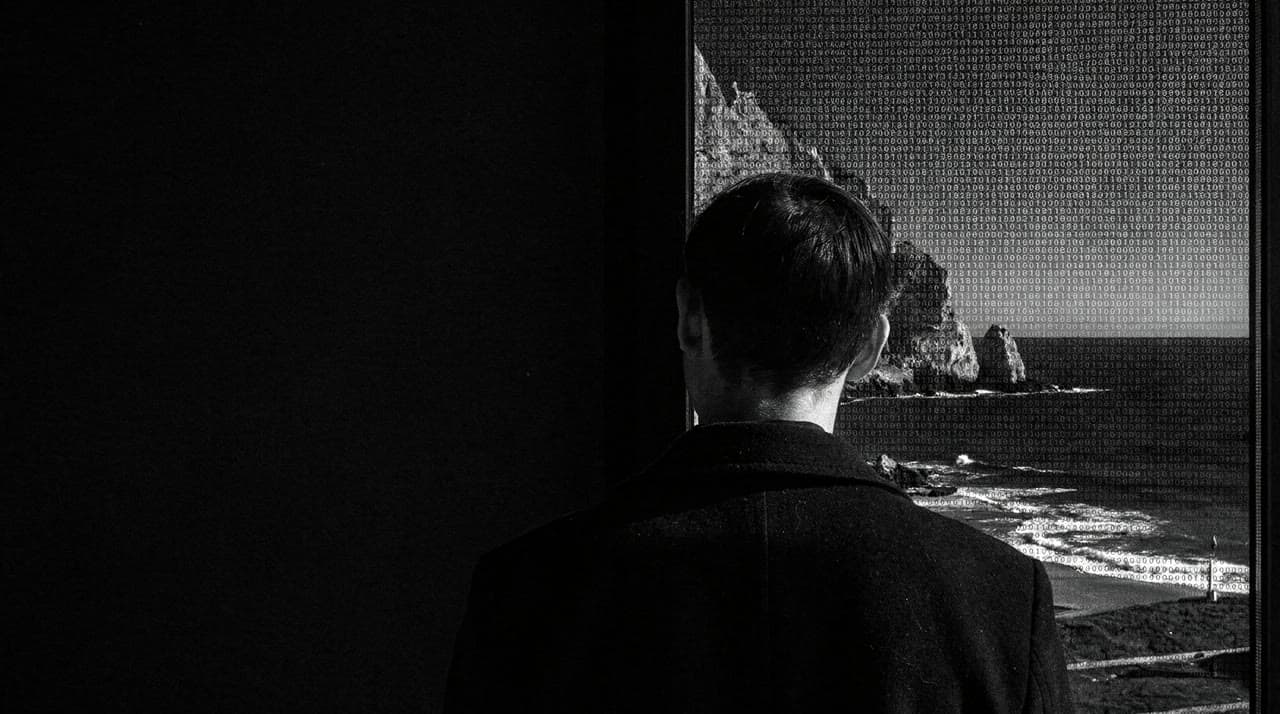
Round 2REVISE
Series Lock, major: The fix did not take. The view is still a daytime coast: bright grey sky, sunlit sea and a lit beach. 'black night coast' in the subject was not enough against the window.
Fix: Say night twice and name the sky: 'at a tall window; outside, under a black night sky, the dark coast is built from tiny digits, no daylight'.
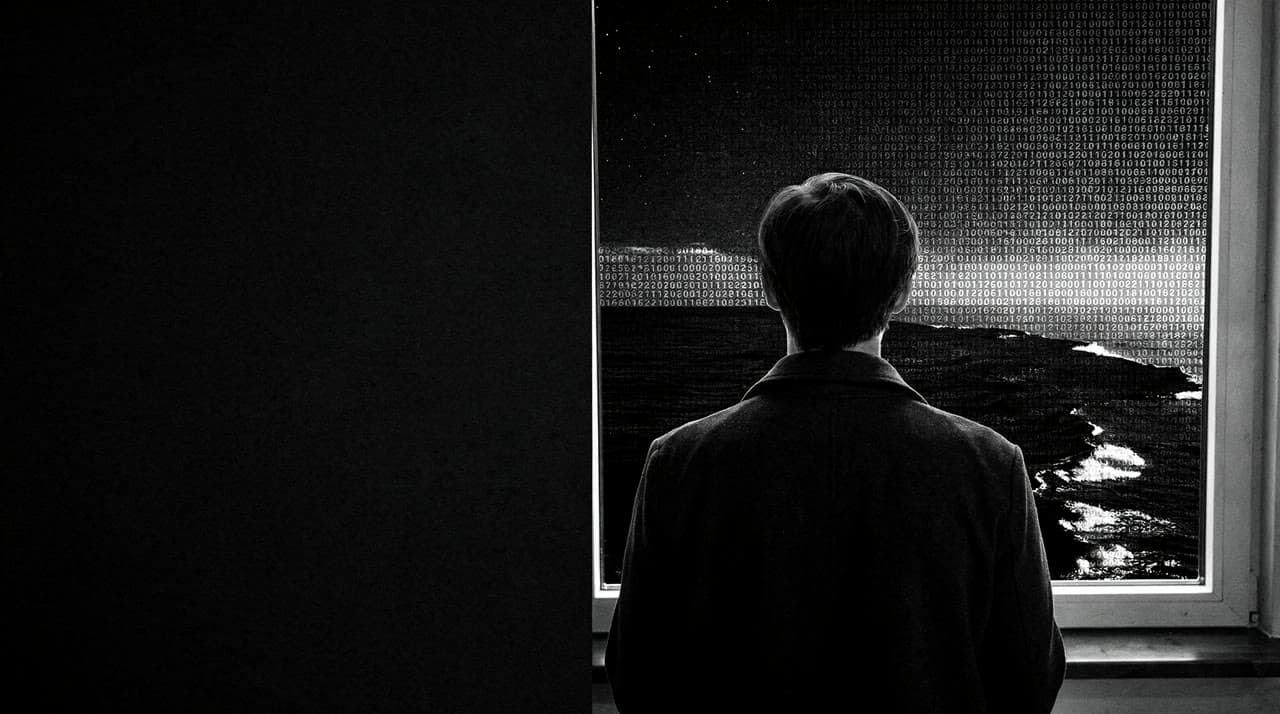
Round 3ACCEPT
Series Lock, minor: At full size many glyphs are 2, 6, 7 or 8 rather than 0 or 1. At viewing size they are grain-sized and read as texture, not numbers.
Fix: None needed at viewing size. If the frame is used large, soften the window field slightly.
The revised prompt keeps the anchors and records each fix it applied as a comment above the text:
# shot_02, hero, 3.5-6.5s, MS eye-level push, revision (was REVISE in rounds 1 and 2)
# params: aspect_ratio=16:9, output_format=png, prompt_upsampling=false, seed=707080
# fix [Series Lock, major]: view still read as daytime; subject now says 'under a black night sky' and 'no daylight'
# fix [Brand Lock, major]: digits still sat on the glass; subject now puts them 'outside' and drops 'clear glass'. 'tall' dropped to stay under the 150-word ceiling
Medium shot, eye level, one person seen from behind, short dark hair, plain dark coat, no face visible, at a window; outside, under a black night sky, the dark coast is built from tiny digits, no daylight. Near-black night scene, empty black left third, part of the scene made of tiny uniform monospaced 0 and 1 digits packed like a halftone, density as shading, thinning out at its edge. One hard cool key light, deep blacks held above crush. 50mm, f/8. Black and white monochrome, near-black ground #07080A, bone-white highlights #F6F5F2, fine silver-halide grain. Calm, restrained, documentary. Photorealistic, natural skin texture, no AI artifacts. No large digits, no floating or 3D numbers, no color, no green, no blue glow, no neon, no falling-rain streaks, no glitch, no HUD, no hologram, no circuit boards, no hooded figure, no face, no screens, no logos, no signs, no words or letters, no watermark.
08 / Done
Stop when the validator says every shot passed.
Across the whole run: 5 of 5 shots ACCEPT, after 4 rounds. The stop condition is one command. It recomputes every hash in run.json and in the critiques, then exits 0 only when each shot’s latest verdict is ACCEPT.
~/.venvs/shotkit/bin/python ~/.claude/shotkit-tools/validate_provenance.py output/ --require-acceptThis run finished in 4 rounds. Then storyboard-html-preview built one page with every shot, frame, line of text and verdict. It is embedded on the example page.
Next
Further reading
Want it built and run for you? Apply for a free reel